
What was capping us
We build software for other people's bottlenecks, so it is only fair to show one of our own. Our founder runs a marketing agency and this studio at the same time. The work for both lives in three ClickUp workspaces, a calendar full of client calls, meeting notes, Slack and an inbox — and every morning, sorting all of that into a plan for the day was itself a job. It got done in his head, which meant it got redone in his head every time something interrupted, and by mid-afternoon the plan had usually quietly died.
To-do lists did not fix it, because a to-do list is passive. It will happily watch you spend ninety minutes on a twenty-minute task and say nothing.
What we built
A native macOS day planner with one unusual property: an AI assistant runs it.
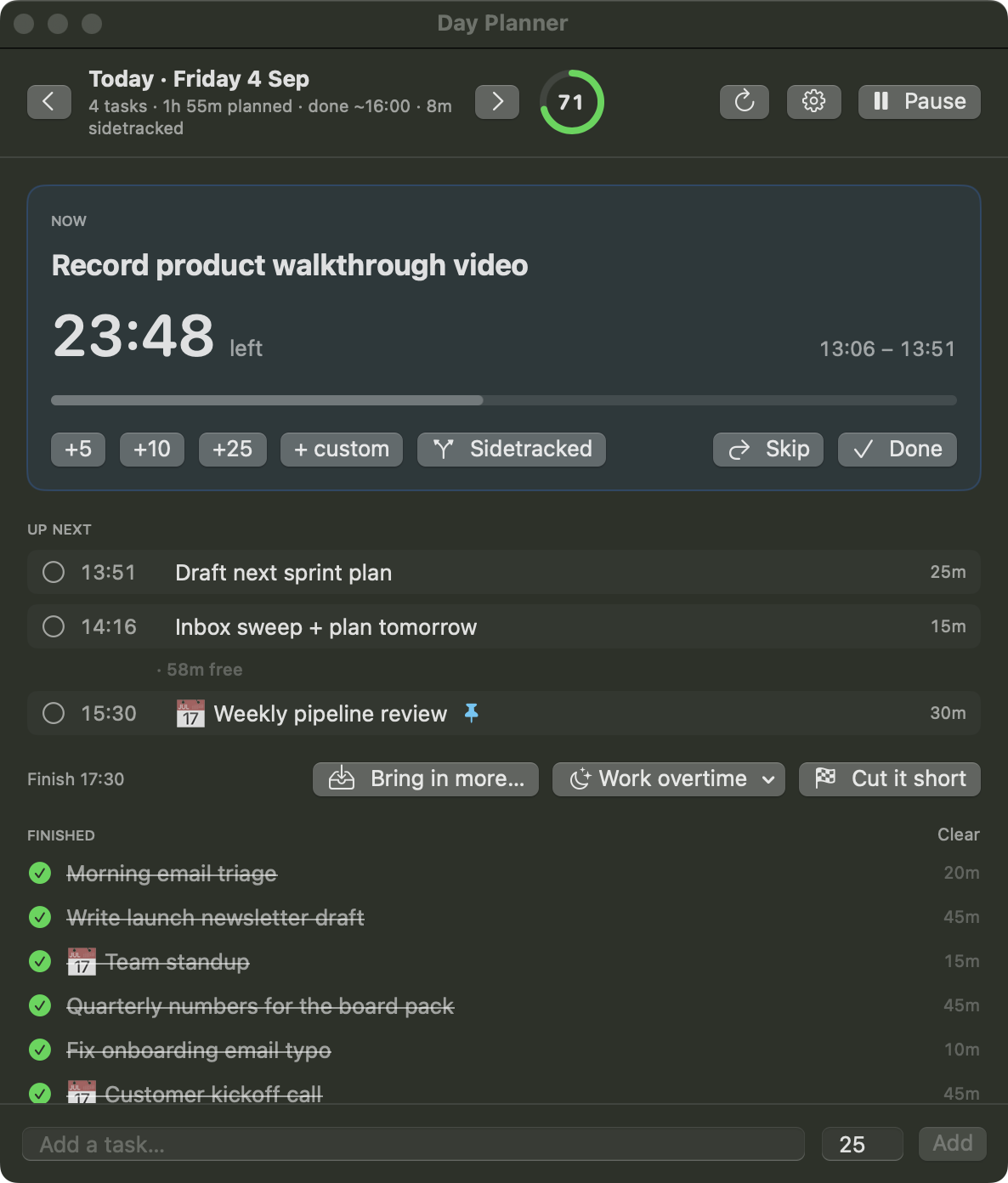
The app itself holds a timed schedule for each day. Meetings are pinned to their clock times and never move; flexible work flows around them, and whatever fits into a gap before the next call gets pulled forward. One task is always "now", with a countdown. Finishing early pulls the rest of the day toward you; running over pushes it back.
Around the app we built a thin command-line tool, so an assistant can plan the day the way a person would — except it actually reads everything first. Every weekday at 07:30, a scheduled Claude agent goes through the calendar, all three ClickUp workspaces, yesterday's meeting notes, email and Slack, estimates the work in minutes, and pushes a full timed plan into the app:
dp push --start 09:00 --replace \
  "Morning email triage:20" \
  "Write launch newsletter draft:45@869aa0001!2" \
  "📅 Team standup:15#10:15" \
  "Quarterly numbers for the board pack:40@869aa0002!2"
By the time the day starts, it is already planned. In the evening a second agent reviews what actually happened and drafts tomorrow.
The part that changes behaviour is what happens at a task boundary. A notification is easy to ignore — so the app does not rely on one. When time is up, it takes over the entire screen:
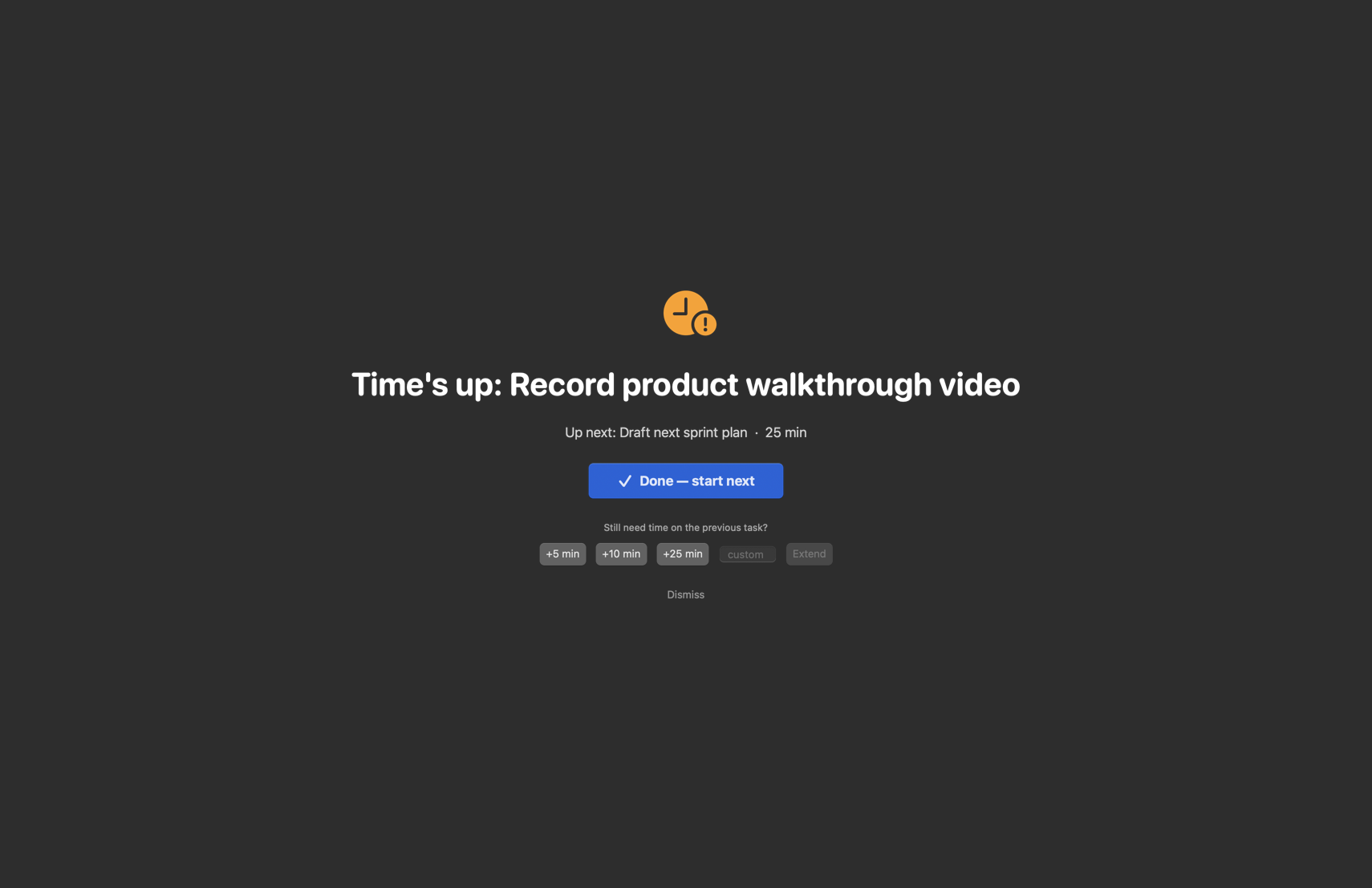
Nothing advances on its own. You either declare the task done and start the next one, or you extend it — and the same thing happens when a meeting's time arrives, whatever else you are in the middle of.
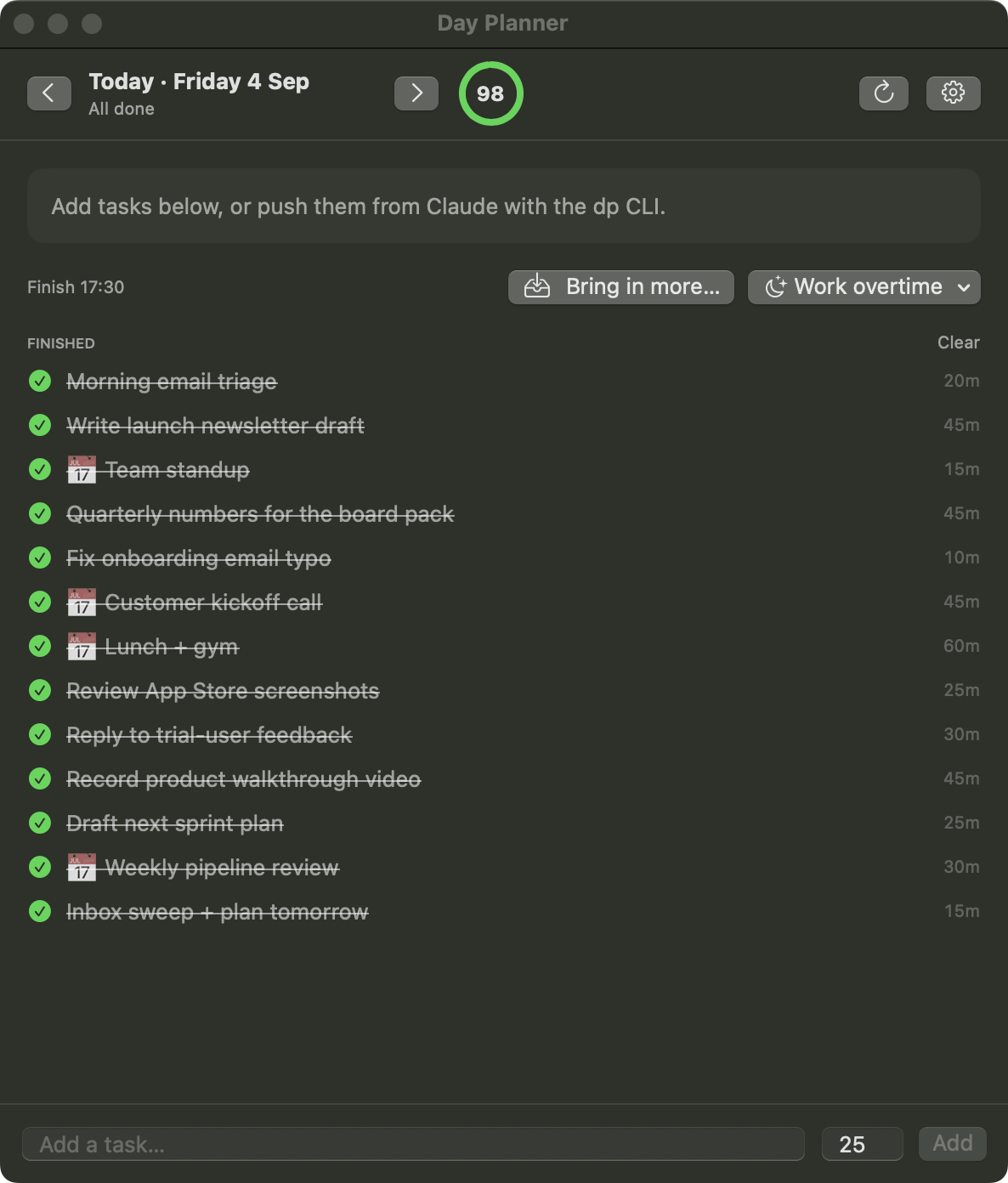
The last piece is an honest score. Each day gets a live productivity figure, weighted by how long tasks were planned to take and how urgent they were. Pushing work to tomorrow does not clean the slate — it leaves a tombstone that keeps dragging on today's number. Getting distracted has its own button, and its own penalty. Ticking a task closed here also closes it in ClickUp, so the agency's project management stays true without anyone doing it twice.
How long it took
The first working version was built in a day, and it planned its first real day that same Monday — which it closed at a score of 97. Everything since has been refinement in daily use: the score, the punt tombstones, out-of-office days, per-weekday working hours.
That pace is the point of how we build. The app keeps its state in plain, readable files, so the assistant that plans the day can also read back how the day actually went — the same property that let it be extended a feature at a time without ceremony.
What changed
The morning planning job is gone: the plan is waiting before the day starts, built from what is actually in the calendar and the task boards rather than what memory serves. The plan defends itself — meetings interrupt, boundaries take the screen, and drifting has a cost that shows up in the number. And because deferring work is recorded rather than forgotten, the end-of-day score means something: it is the difference between feeling busy and knowing what got done.